PRODUCT / API & INTEGRATIONS
Every Feature Available as an API Call
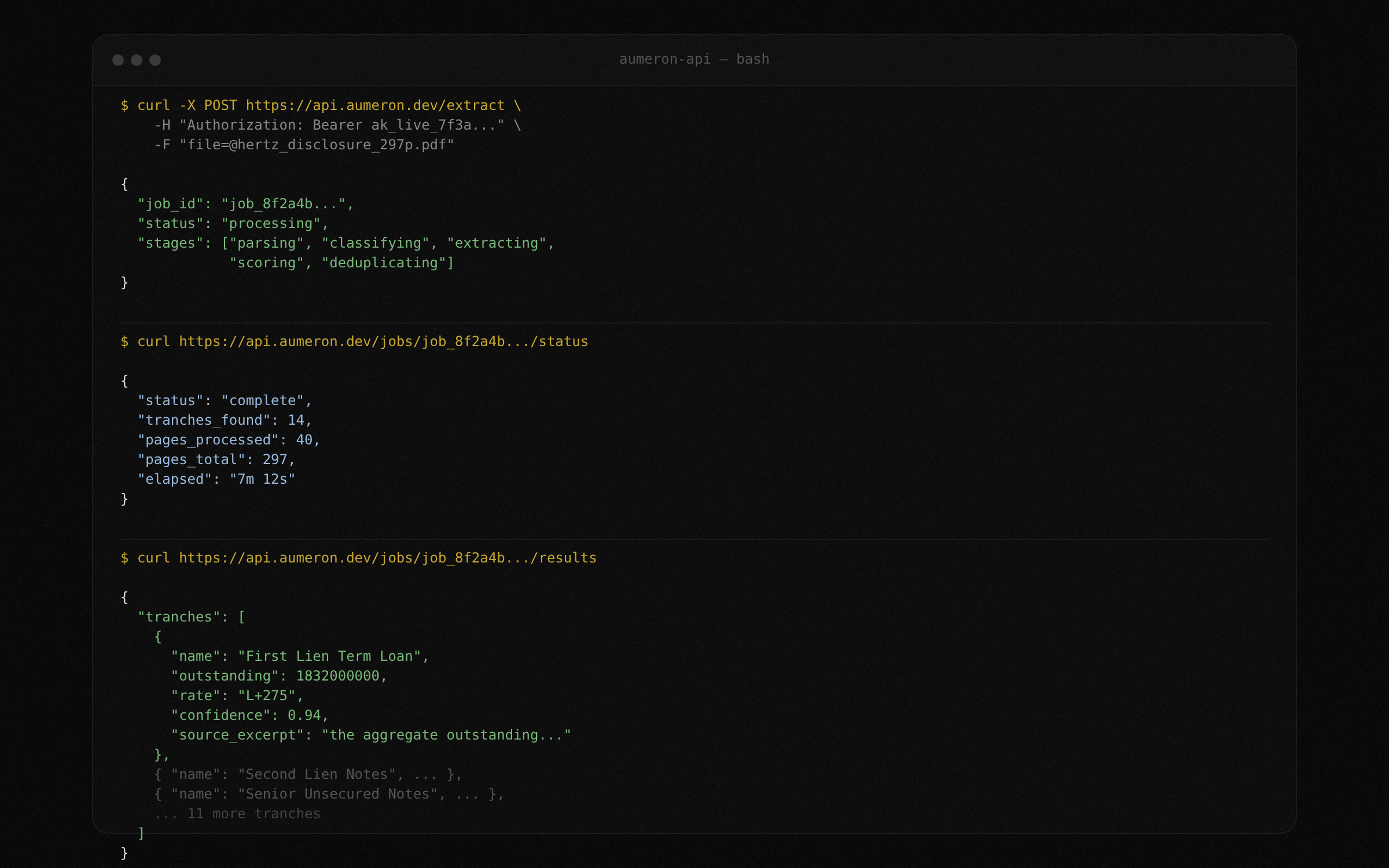
Upload filings, poll extraction jobs, fetch structured results, subscribe to docket alerts, and diff two plans. All through documented REST endpoints with interactive Swagger docs. Build TrancheLab into your workflow, not around it.
7 endpoint groups
Extract, jobs, results, alerts, docket, diff, export
2 auth methods
API key + OAuth
< 10 min
Typical extraction time
Swagger UI
Interactive docs at /docs
Restructuring Data Trapped in PDFs Is Not Programmable
The data you need lives in 300-page filings on PACER. You cannot query it, pipe it into a model, or build automation around it. Until you extract it, it is not data. It is a document.
Problem: Manual, Unstructured Workflows
- Download a PDF from PACER
- Open it in a reader, ctrl+F for tranche names
- Copy numbers into a spreadsheet by hand
- No way to programmatically compare two plan versions
- No way to trigger extraction when a new filing drops
- Every analyst on the team repeats the same work
Solution: Programmable Extraction Pipeline
- Upload a PDF via API, get structured JSON back
- Poll job status while extraction runs
- Fetch results by job ID in JSON or CSV
- Diff two extractions to see what changed between amendments
- Subscribe to a case and get webhook notifications on new filings
- One extraction, shared across the team
How TrancheLab's API Works
STEP 1:
Upload and extract
POST a PDF to the extract endpoint. TrancheLab returns a job ID immediately. The extraction pipeline runs asynchronously: parsing, section classification, tranche extraction, confidence scoring, deduplication. Poll the job status endpoint or wait for completion.
Docs: Extract Endpoint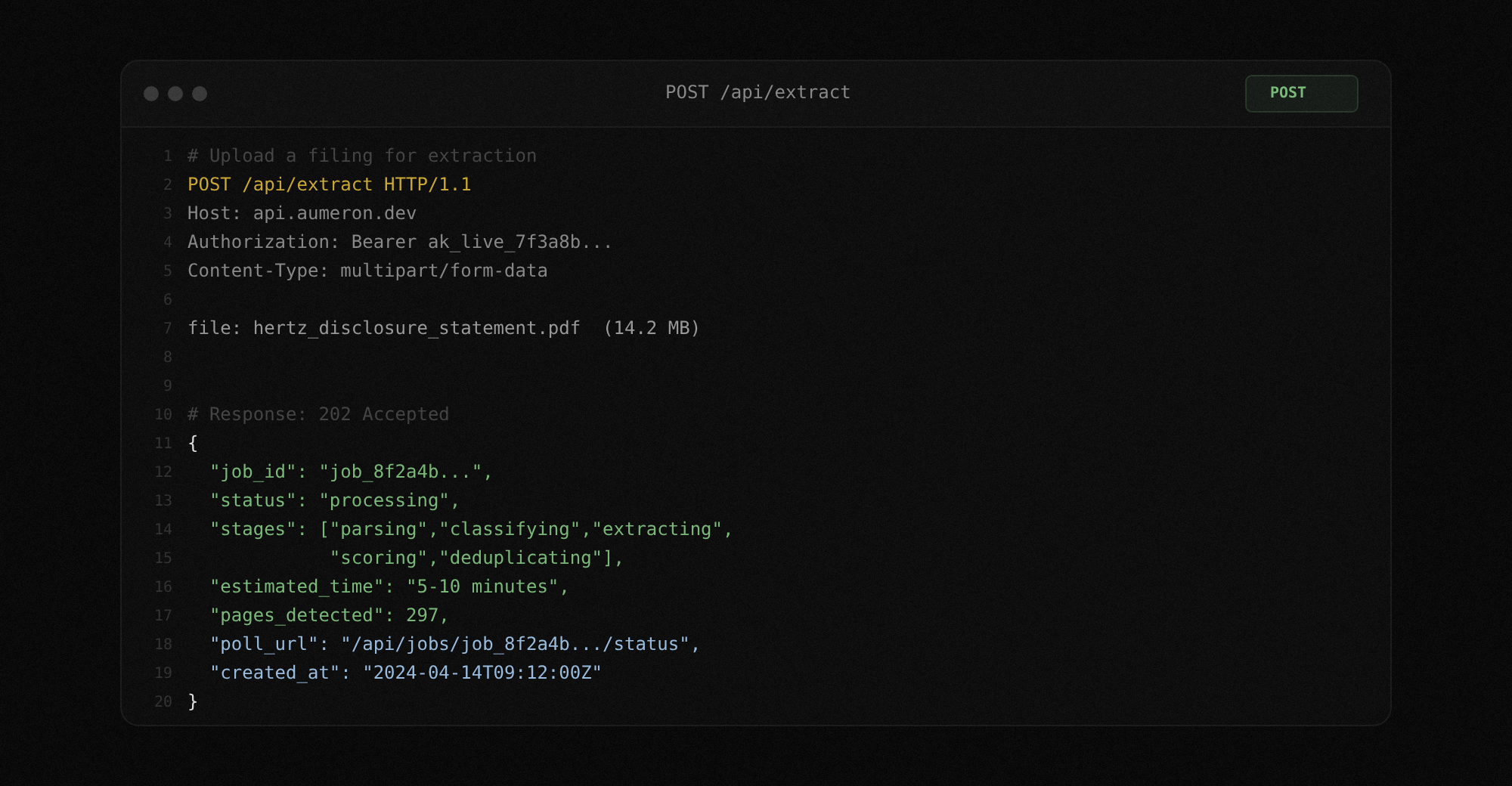
STEP 2:
Poll job status
Check the progress of any extraction job. The response includes the current stage (parsing, classifying, extracting, scoring, deduplicating), pages processed, and estimated time remaining. Use this to build progress indicators in your own UI or to gate downstream automation.
Docs: Job Status Endpoint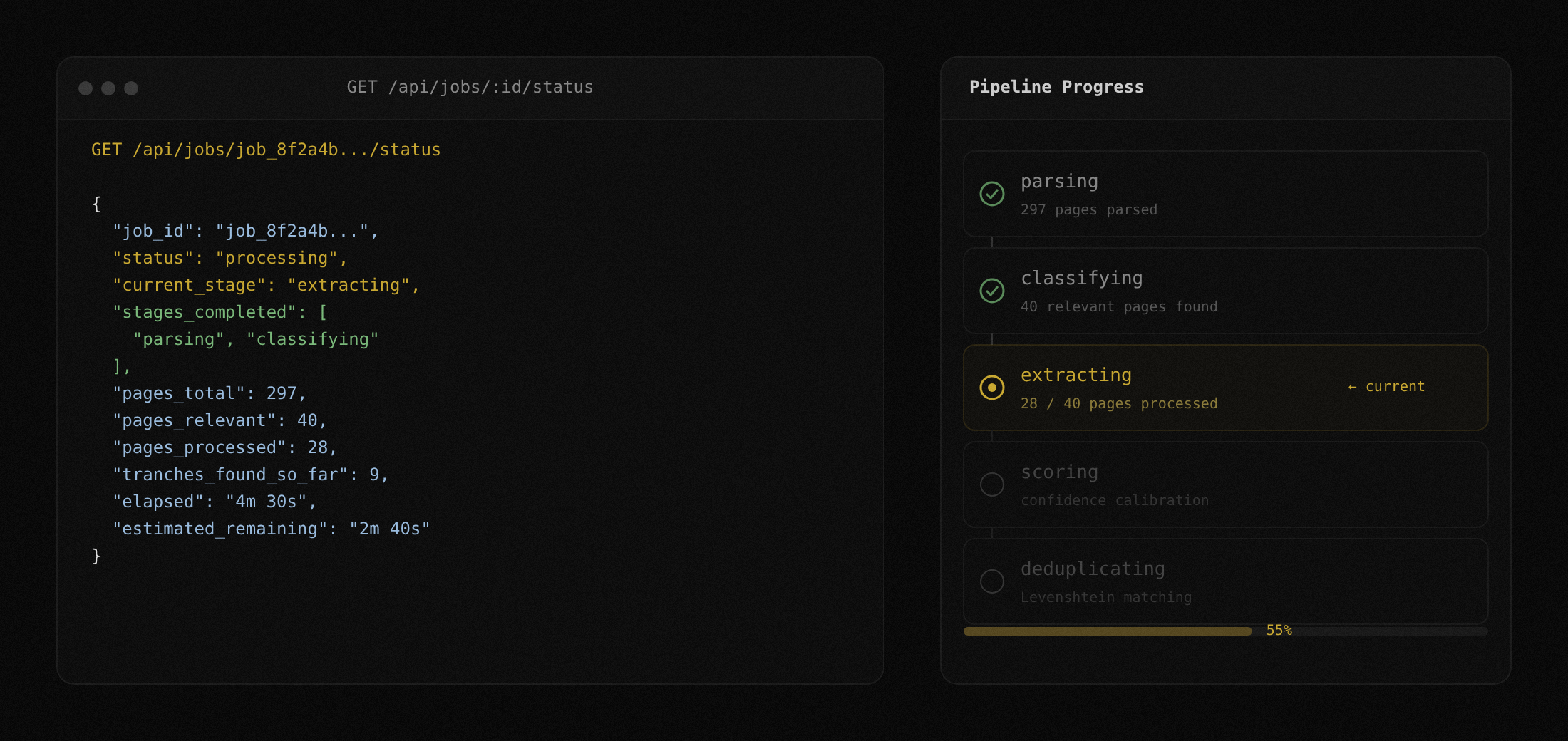
STEP 3:
Fetch structured results
When extraction completes, fetch the full tranche table as JSON or CSV. Every tranche includes name, outstanding balance, interest rate, maturity, seniority ranking, recovery estimate, confidence score, and the raw source excerpt that produced each value.
Docs: Results Endpoint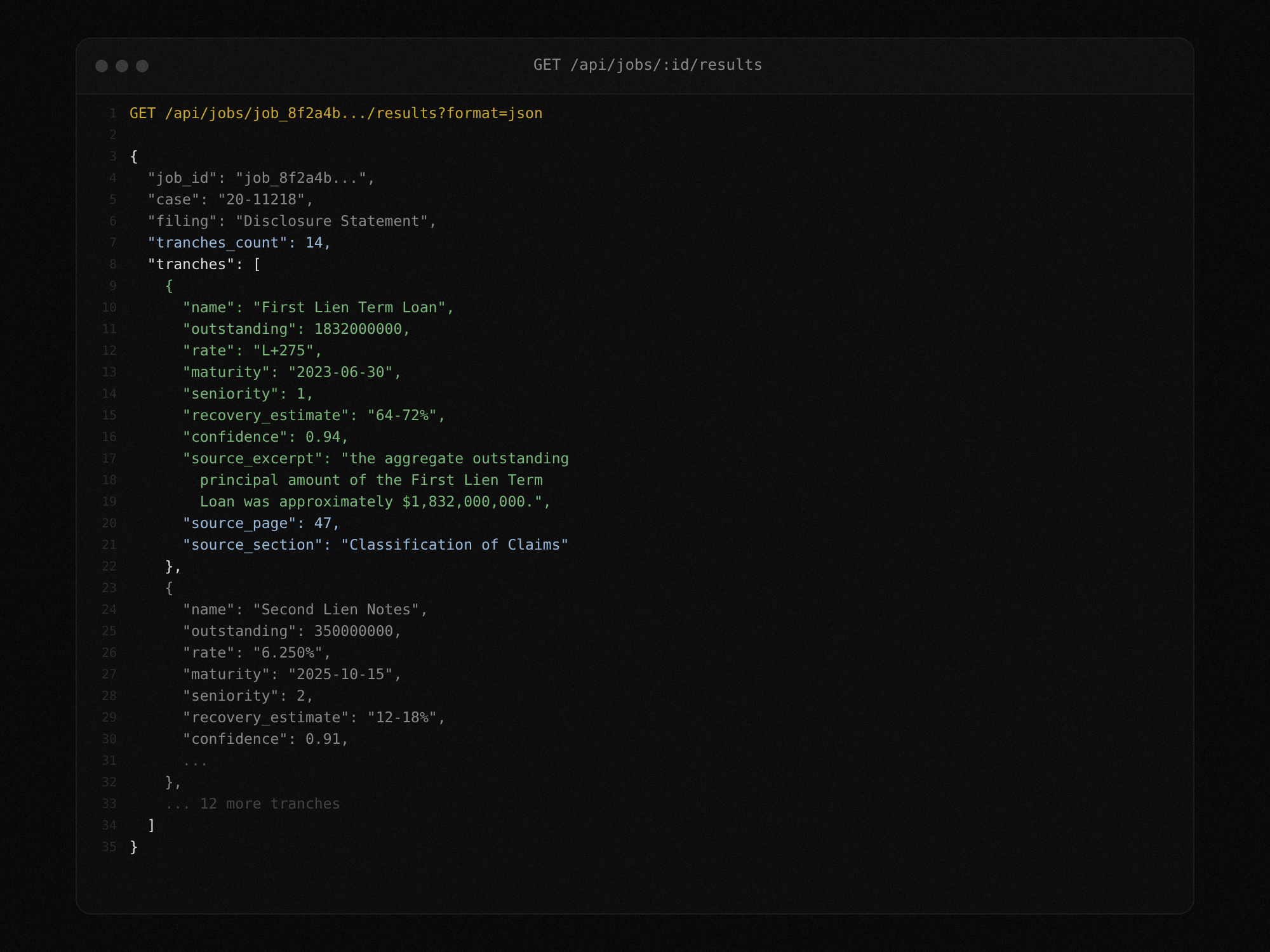
STEP 4:
Diff two extractions
Pass two job IDs to the diff endpoint. TrancheLab matches tranches across both extractions and returns a structured comparison: values that changed, tranches that were added or removed, and confidence score deltas. Use this to track what moved between plan amendments without reading both filings.
Docs: Diff Endpoint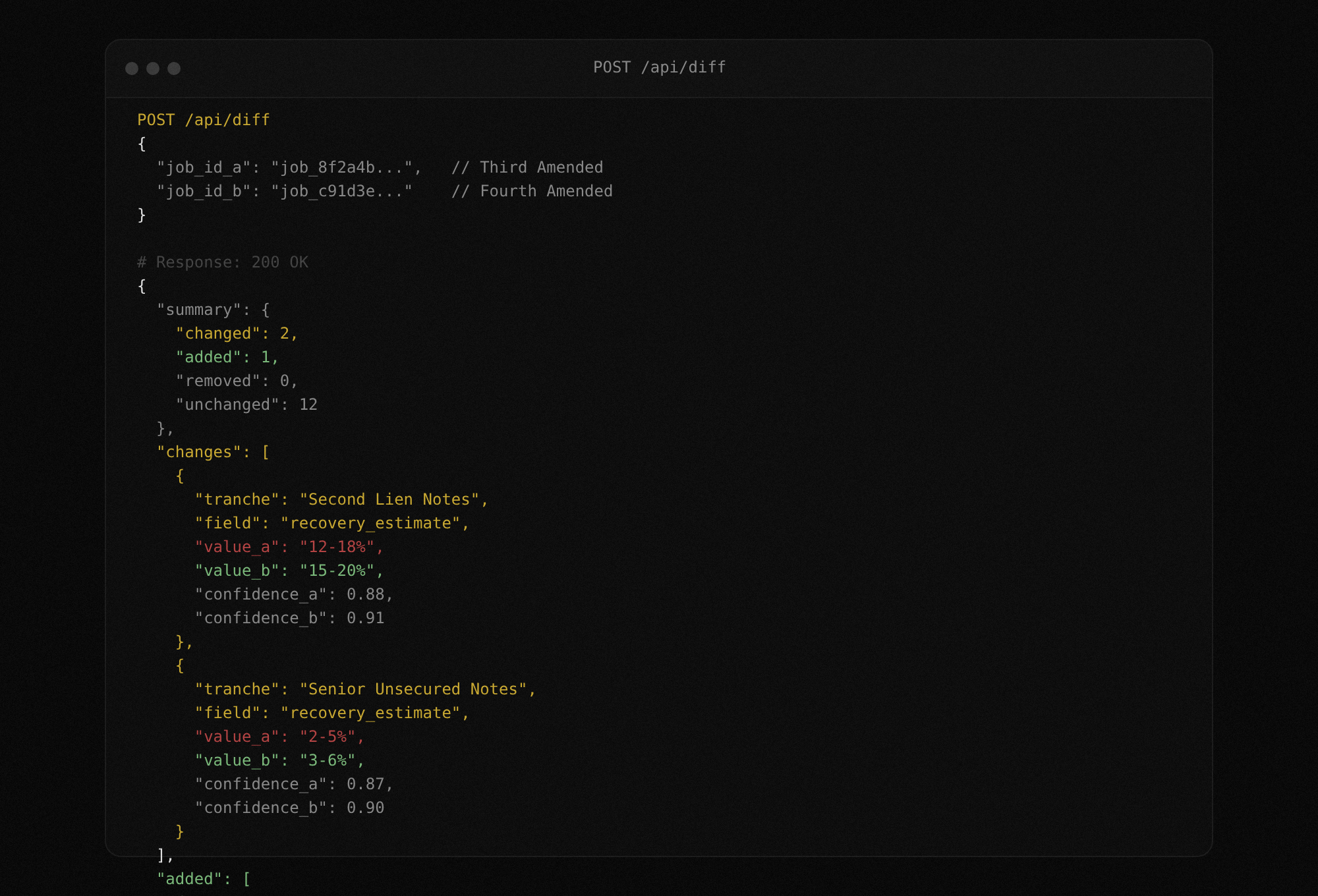
STEP 5:
Subscribe to docket alerts
Register a subscription for any Chapter 11 case. TrancheLab watches CourtListener for new docket entries and delivers notifications via email, webhook, or both. When a new filing appears, you decide whether to extract it by calling the upload endpoint.
Docs: Alert Subscriptions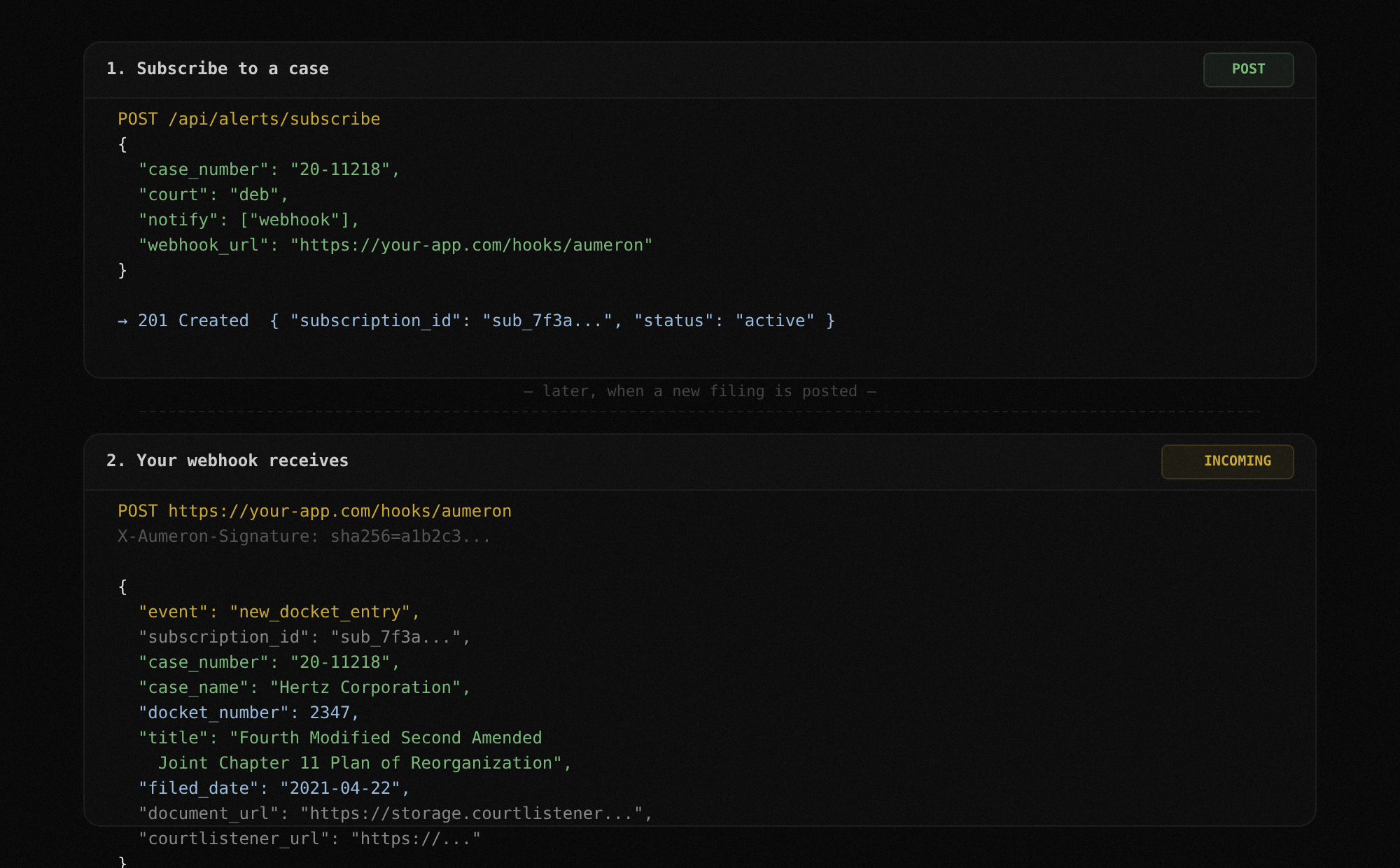
RESTful API
Every feature in the UI is available as an API endpoint. Upload filings, poll jobs, fetch results, run diffs, manage alert subscriptions. Standard REST conventions, JSON responses, predictable error codes.
Docs: API ReferenceDual Authentication
Static API keys for simple integrations and scripts. OAuth token-based auth for production applications and multi-user setups. Both methods work across all endpoints.
Docs: AuthenticationInteractive Swagger Docs
Full OpenAPI documentation at /docs with try-it-now functionality. Test every endpoint directly in the browser. See request schemas, response shapes, and error codes without writing any code.
Docs: /docsWhat you can build
Real workflows running on TrancheLab's API today.
Automated filing ingestion
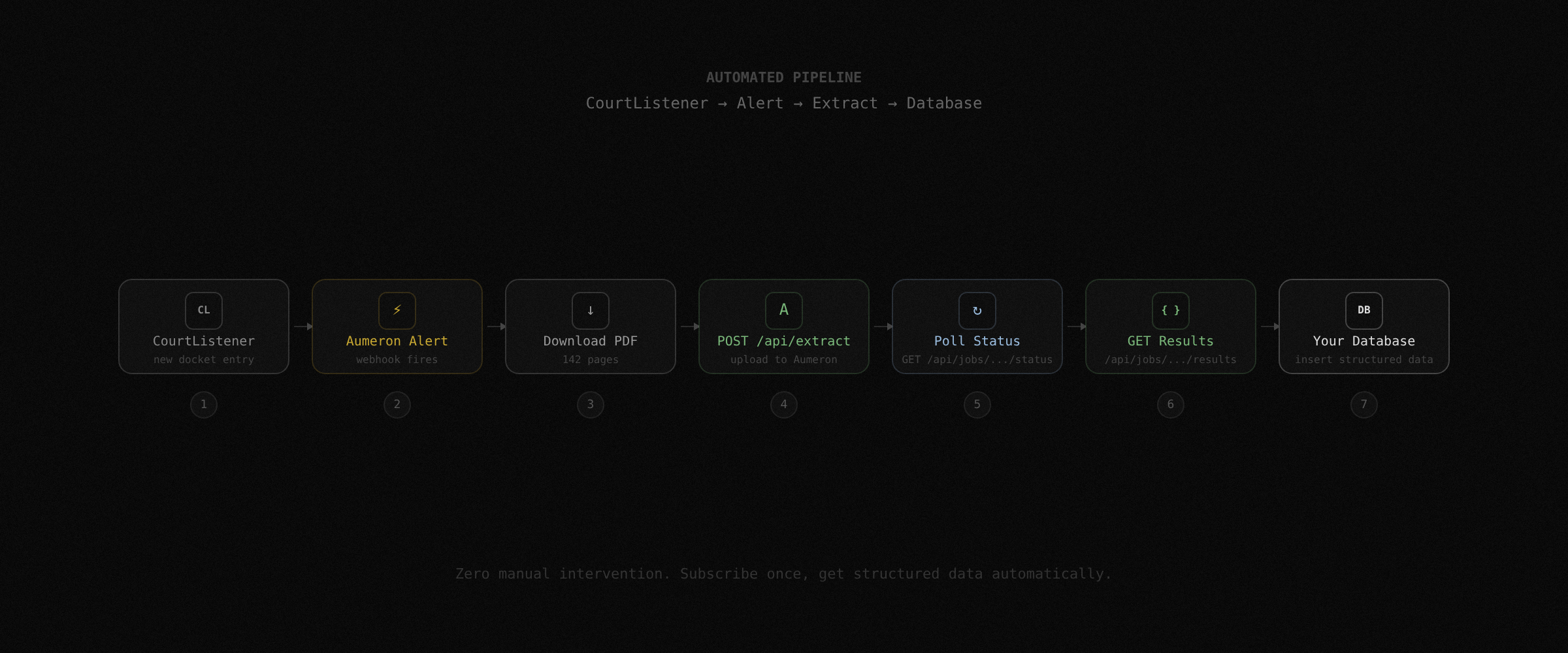
Subscribe to cases via the alert API. When a new disclosure statement or amended plan is filed, your webhook fires. Your script downloads the PDF, uploads it to the extract endpoint, and pipes the structured results into your database. By the time you open your laptop, the cap table is already updated.
Portfolio-wide diff monitoring
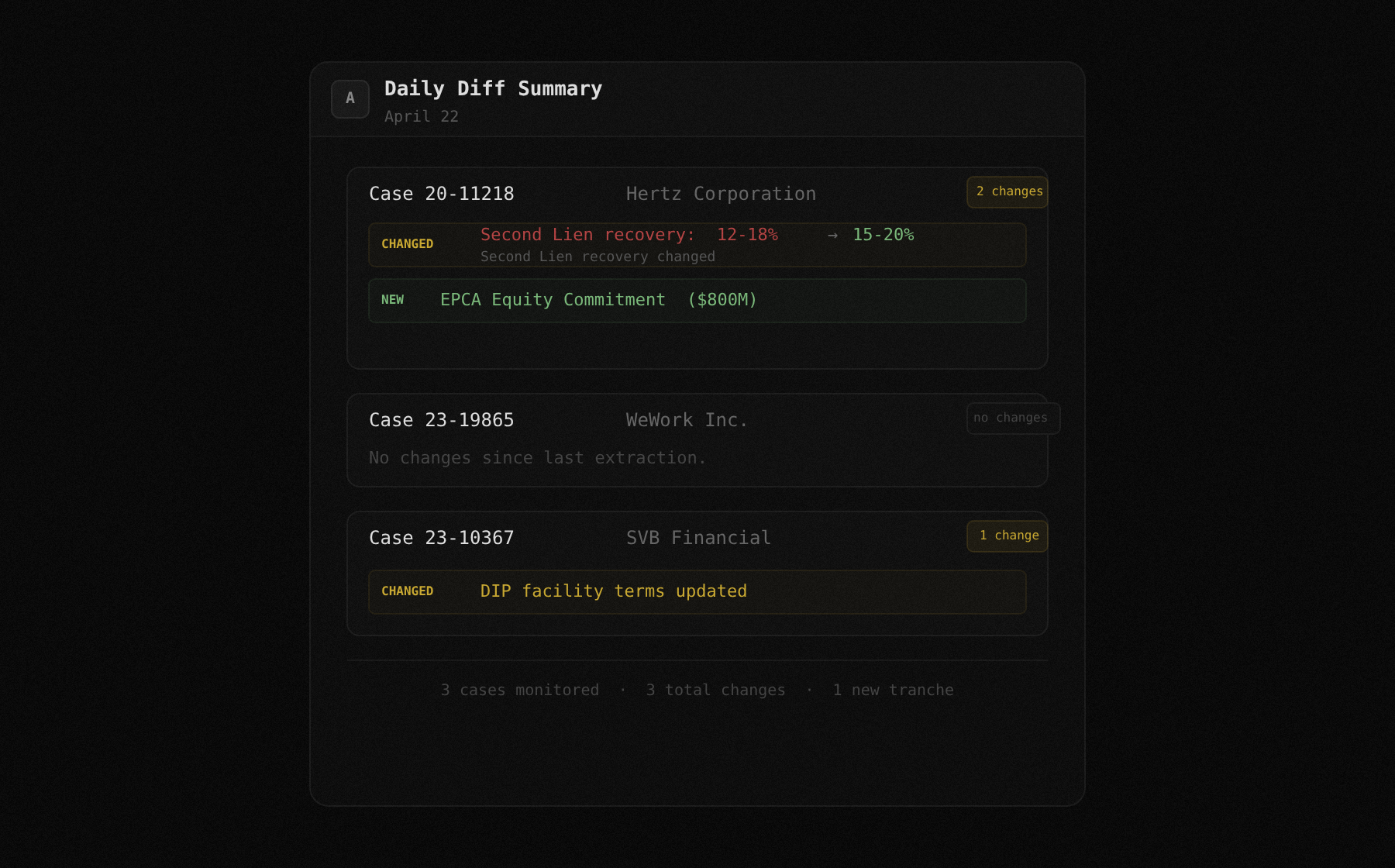
Track five active Chapter 11 cases. When any of them files an amended plan, extract both versions and run the diff endpoint. Flag changes in recovery estimates or tranche definitions and surface them in a daily summary email. One script, five cases, zero manual checking.
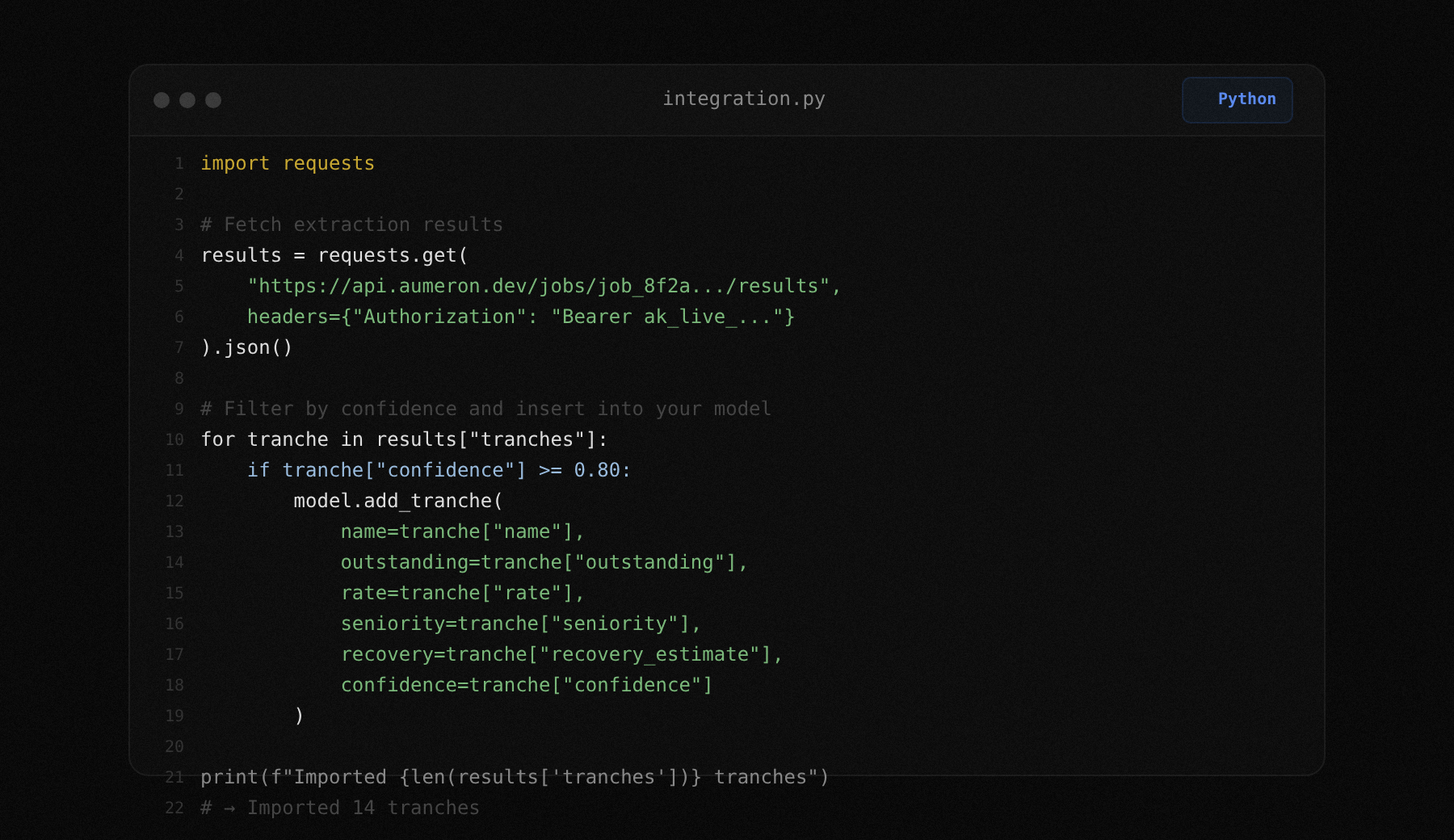
Feed extraction results into models
Pull structured tranche data from the results endpoint and feed it into your own recovery model, comp analysis, or pricing tool. Every field comes with a confidence score, so your model can weight high-confidence values differently from flagged ones.
Team-wide shared extractions
One analyst uploads a filing. The extraction runs once. Every other analyst on the team fetches the same results by job ID. No duplicate work. No conflicting spreadsheets. One source of truth with provenance on every value.
API endpoints
| Method | Endpoint | Description |
|---|---|---|
| POST | /api/extract | Upload a PDF and start extraction |
| GET | /api/jobs/{id}/status | Poll extraction job status |
| GET | /api/jobs/{id}/results | Fetch structured tranche results |
| GET | /api/jobs/{id}/results?format=csv | Download results as CSV |
| POST | /api/diff | Compare two extraction jobs |
| POST | /api/alerts/subscribe | Subscribe to case docket alerts |
| DELETE | /api/alerts/{id} | Unsubscribe from a case |
| GET | /api/docket/{case_number} | Fetch docket entries for a case |
FAQ
JSON and CSV. Both include all extracted fields, confidence scores, and source excerpt references. Specify format via query parameter on the results endpoint.
Not currently enforced beyond reasonable use. This will change as the product moves toward production.
No. The same API key works for both. OAuth tokens also work across both interfaces.
Not yet. The API is standard REST with JSON request/response bodies. An SDK is on the roadmap.
You can upload multiple PDFs by calling the extract endpoint multiple times. Each returns its own job ID. There is no dedicated batch endpoint yet, but you can parallelize uploads on your end.
At /docs on the API server. Full Swagger/OpenAPI documentation with try-it-now on every endpoint.
Build on Structured Bankruptcy Data
Every feature in TrancheLab is an API call. Upload, extract, diff, alert, export. Interactive docs at /docs.
Book a Demo