Product / Monitor & Alert
Never Miss a Filing on the Cases You Follow
Subscribe to any Chapter 11 case by case number. TrancheLab watches CourtListener for new docket entries and notifies you by email or webhook the moment something is filed. You decide what to extract.
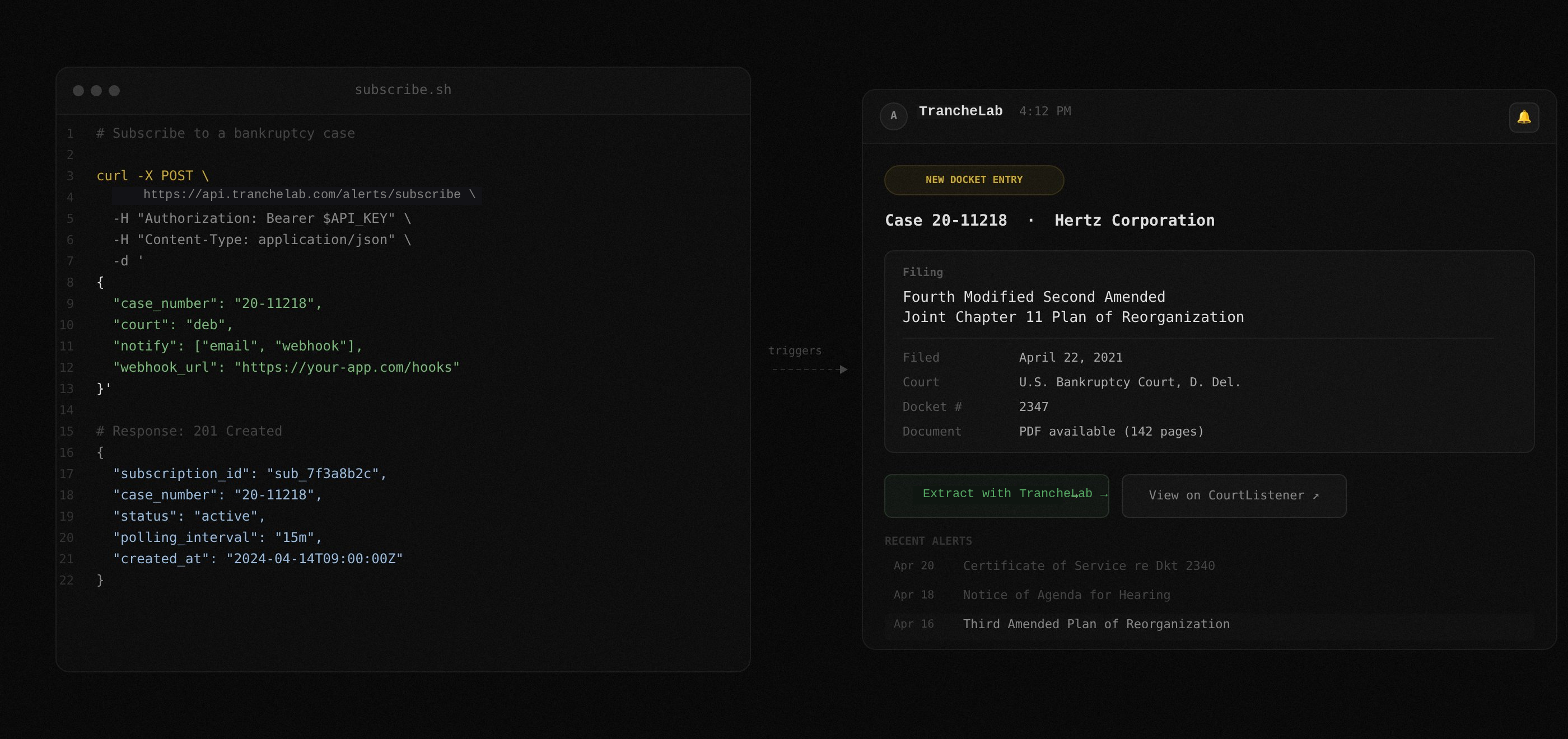
Checking PACER Every Morning Is Not a Workflow
When a debtor files six plan amendments in two months, you need to know within minutes, not the next time you remember to check the docket.
Problem: Manual Docket Monitoring
- Log into PACER daily (or forget to)
- Scroll through dozens of docket entries looking for what matters
- Miss an amended plan filed on a Friday afternoon
- Discover the change on Monday when someone else mentions it
- No way to know if a filing contains capital structure changes until you read it
Solution: Automated Case Alerts
- Subscribe once to a case number via the API
- Get notified by email or webhook within minutes of any new docket entry
- See the filing title, docket number, and date before deciding to act
- Upload the filing to TrancheLab's extraction pipeline when you need the structured data
- Never rely on manual checks again
Built for following active restructurings
The alert system is designed for analysts tracking one or more active Chapter 11 cases through their lifecycle.
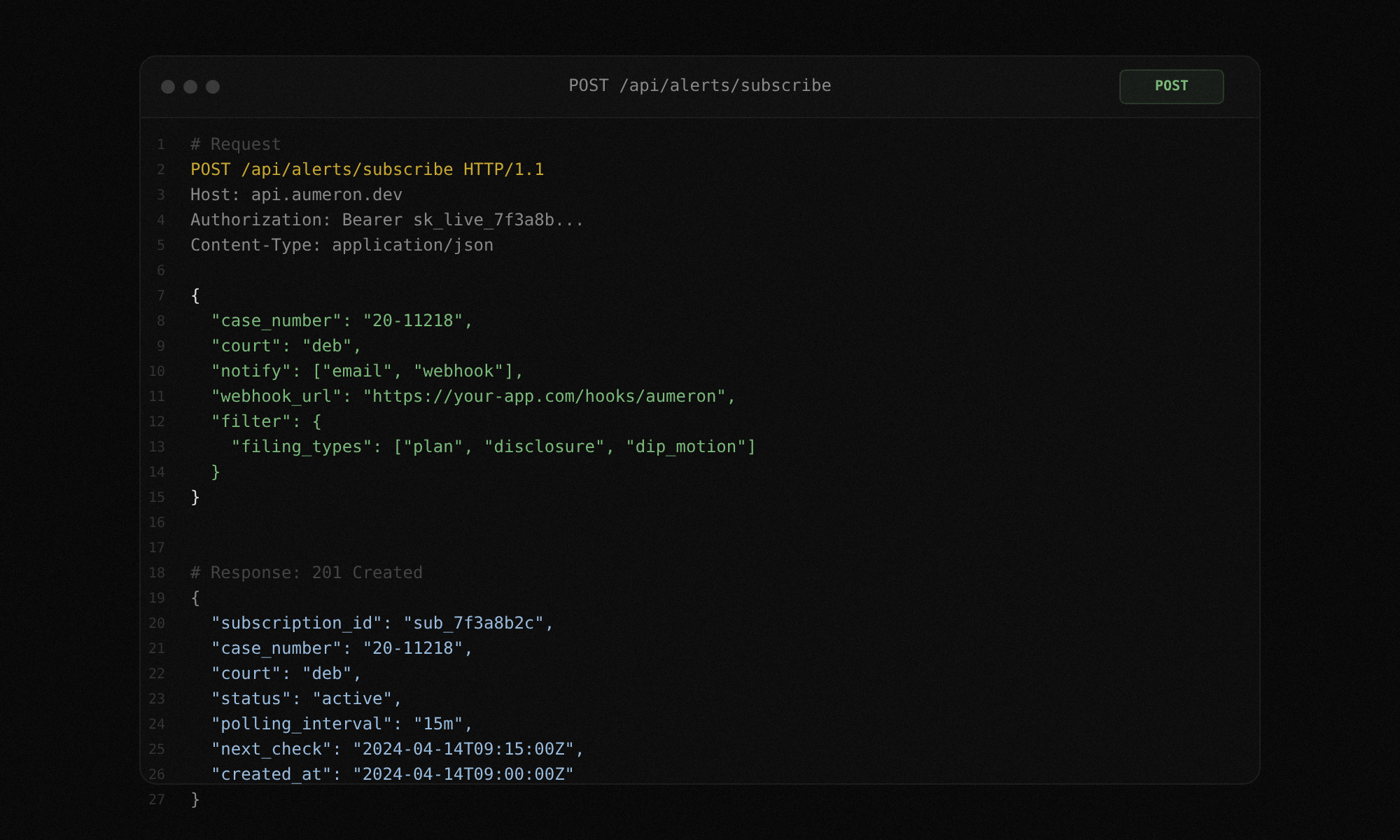
Multiple case subscriptions
Subscribe to as many cases as you need. Each subscription runs independently. Track a single high-conviction position or an entire portfolio of distressed names. Notifications arrive per-case with clear labeling.
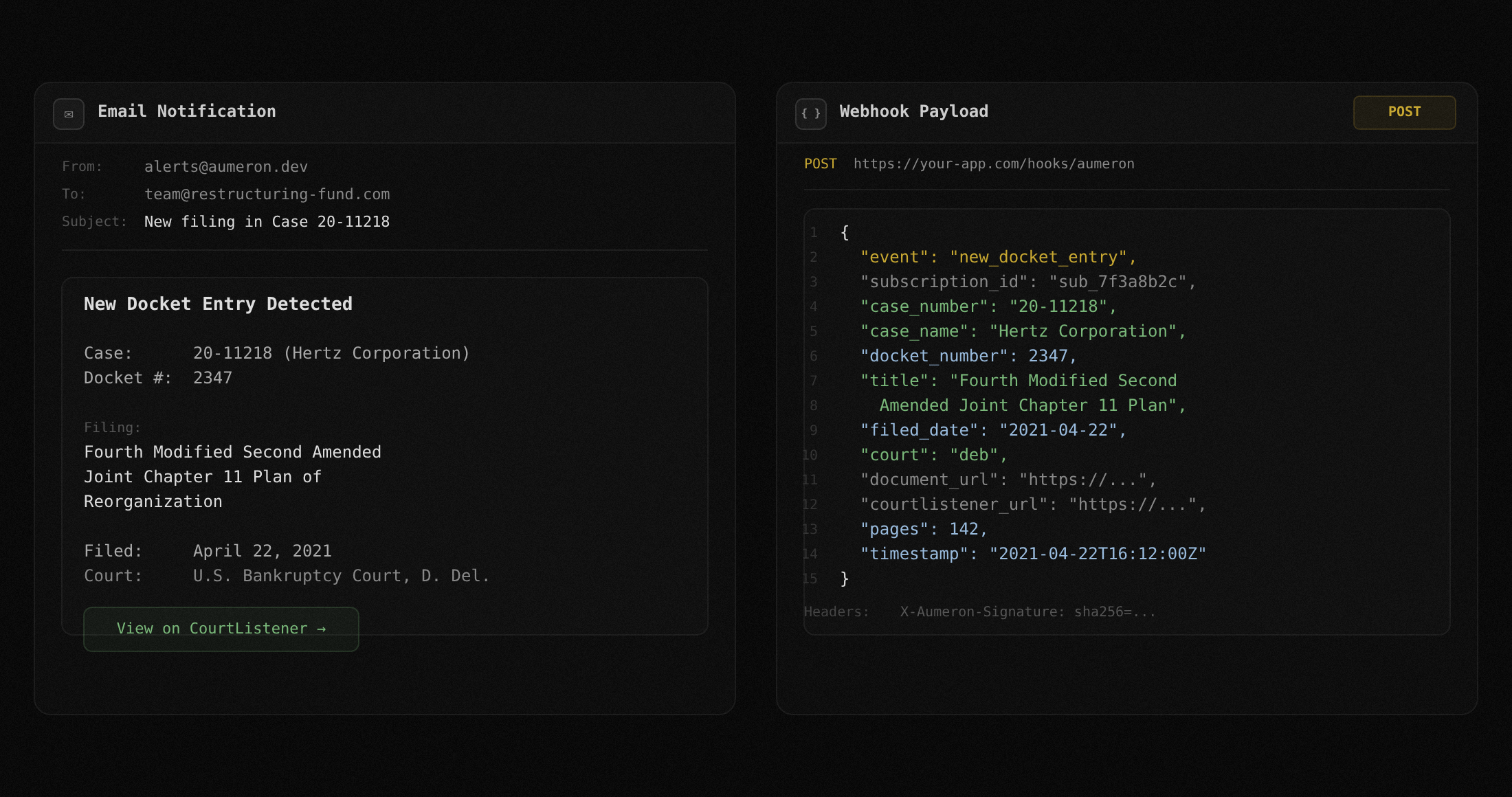
Two notification channels
Email for human review. Webhooks for automation. Use both on the same subscription. Email gives you a readable summary you can scan on your phone. Webhooks let you pipe docket updates into Slack, a database, or your own tooling.
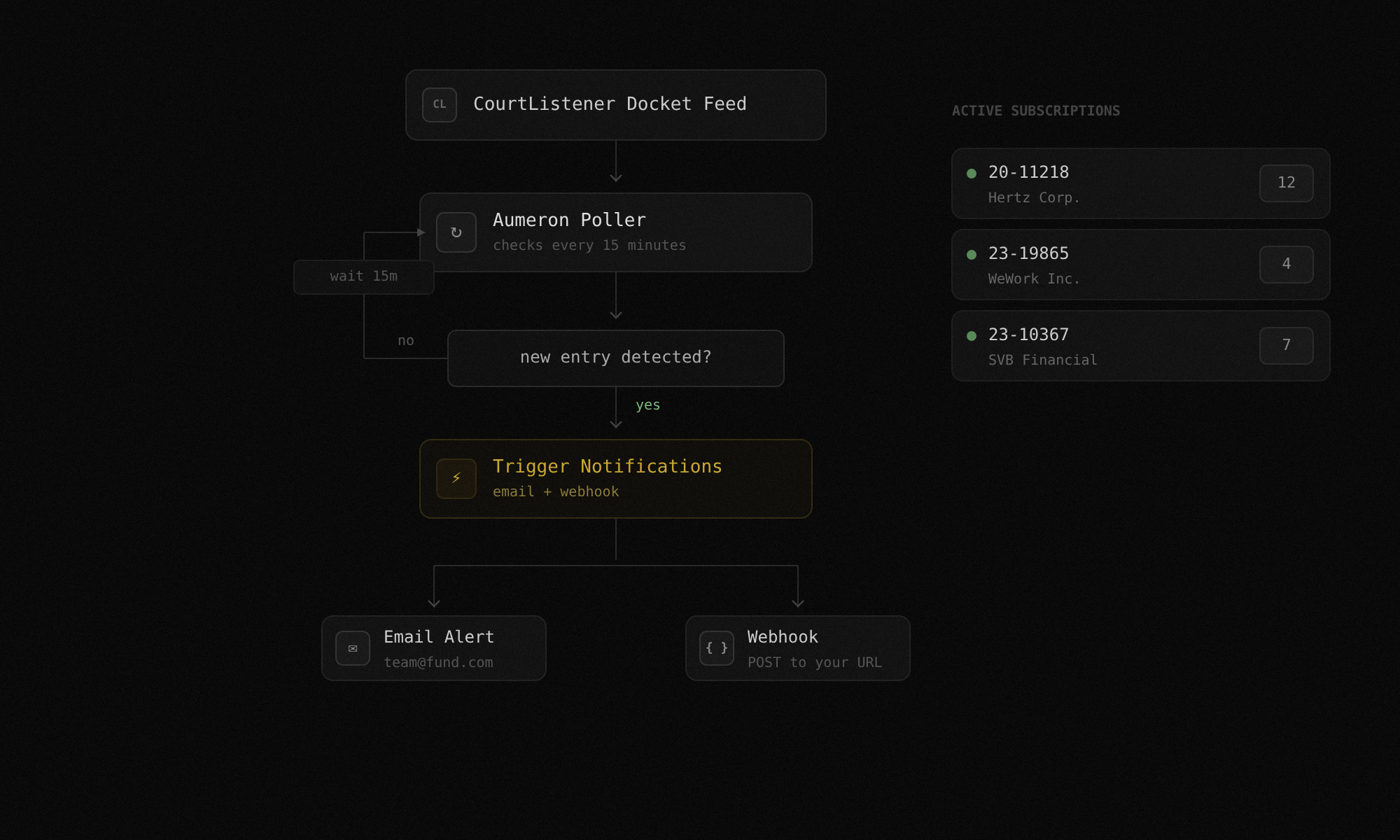
CourtListener as data source
TrancheLab uses CourtListener's public docket data. No PACER credentials required for monitoring. When you need the actual filing PDF for extraction, you access it through PACER or CourtListener directly.
Alert history
Every notification is logged. Review past alerts for any subscription to see the full docket timeline. See what was filed, when it was filed, and whether you acted on it.
TrancheLab Monitor vs. checking PACER yourself
| Capability | TrancheLab Monitor | Manual (PACER) |
|---|---|---|
| Notification speed | Minutes after filing | Next time you log in |
| Setup | One API call per case | Remember to check daily |
| Channels | Email + webhook | Your browser |
| Multiple cases | Unlimited subscriptions | Manual per case |
| Cost of monitoring | Included | PACER per-page fees |
| Overnight/weekend coverage | Always watching | Only when you check |
| Integration with extraction | Upload to Parse & Extract | Copy-paste into spreadsheet |
FAQ
TrancheLab polls CourtListener regularly for new docket entries on your subscribed cases. Typical notification latency is under 5 minutes from when the entry appears on CourtListener.
No. Monitoring uses CourtListener's public docket data. You only need PACER access if you want to download the actual filing PDF for extraction.
Not yet. Currently, all new docket entries on a subscribed case trigger a notification. Filtering by filing type (e.g., only amended plans, only disclosure statements) is on the roadmap.
No. When a new filing is detected, TrancheLab notifies you. You decide whether the filing is worth extracting and upload it manually. This is intentional. Most docket entries are routine procedural filings that do not contain capital structure data.
The filing title, docket number, filing date, court, and a link to the docket entry on CourtListener.
Yes. Delete the subscription via the API and notifications stop immediately.
Stop Checking the Docket Manually
Subscribe to any Chapter 11 case and get notified within minutes of every new filing. One API call to set up. Email and webhook delivery.
Book a Demo